BFCM Webinar 9/28 | Tactical strategy on how to spend smarter & make every customer worth more
Hear from the experts

Advertising
Send real-time retail and marketplace purchase data back to Google Ads to enhance attribution and targeting.

About the integration
Let Google Ads optimize against your entire buyer base, not just the DTC slice.
Google Ads is Google’s digital advertising platform for reaching customers across Search, YouTube, Maps, Gmail, websites, and mobile apps. It helps businesses increase visibility, generate leads, and drive sales through targeted campaigns that can be measured and optimized in real time.
Attribute retail and marketplace purchases back to ads
Lower CAC with improved audience targeting
Quantify the halo effect impact of Google Ads
WHY INTEGRATE
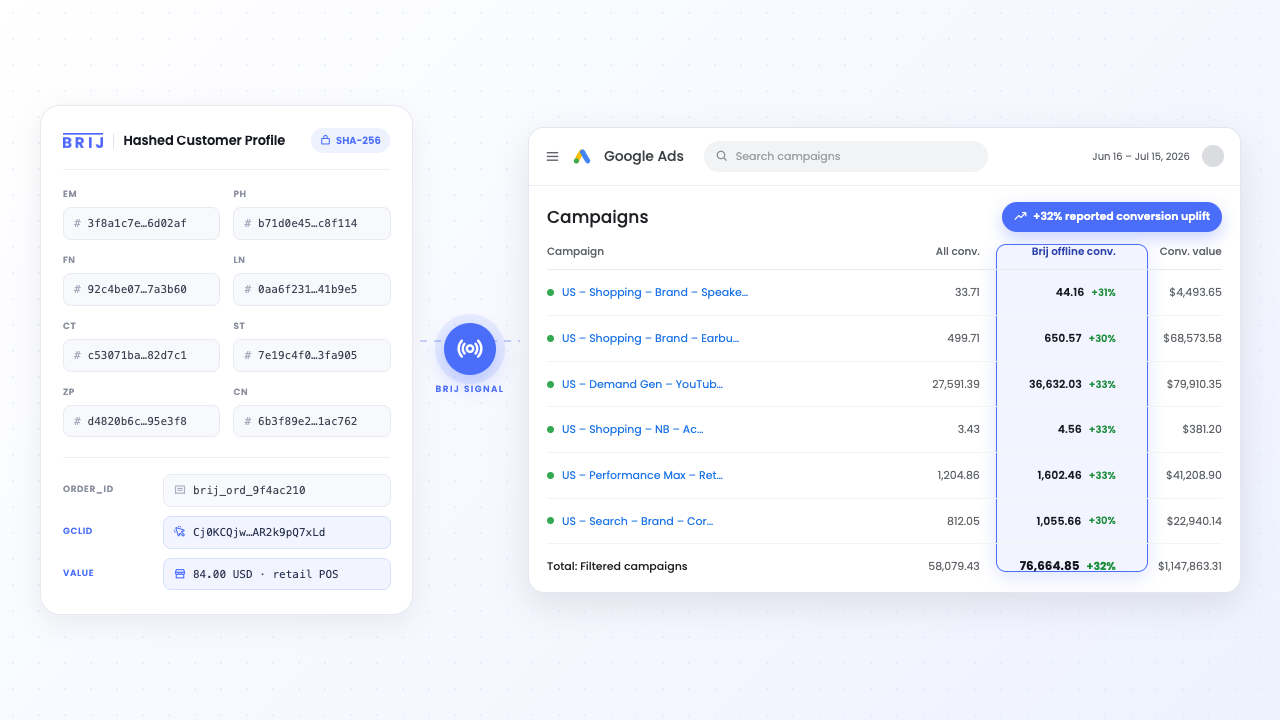
Google Ads optimizes toward the conversions you report. If most of your volume moves through Target, Walmart, or Amazon, none of those sales get reported. This means Smart Bidding prices every auction from your DTC slice, and the campaigns driving retail look like they underperform. Brij reports them (the shopper buys at retail, scans the package, registers, and the purchase lands as a conversion in your account), immediately crediting sales your ads already drove, and over time giving the algorithm a fuller picture to learn from. Additionally, you'll be able to quantify the impact of halo effect as ads drive offline sales.
Read More →Performance Max spreads your budget across Search, YouTube, Display, Shopping, and Gmail, and you don't get to hand-pick who sees the ads. Google is only able to optimize against the data it has access to, and without retail data, it's optimizing against an incomplete dataset. With Signal, Performance Max learns from retail and marketplace buyers , and you can build Customer Match audiences from those same people. This enhances acquisition targeting and allows for suppression of already-acquired customers. Brij delivers real-time signal down to the campaign level.
Read More →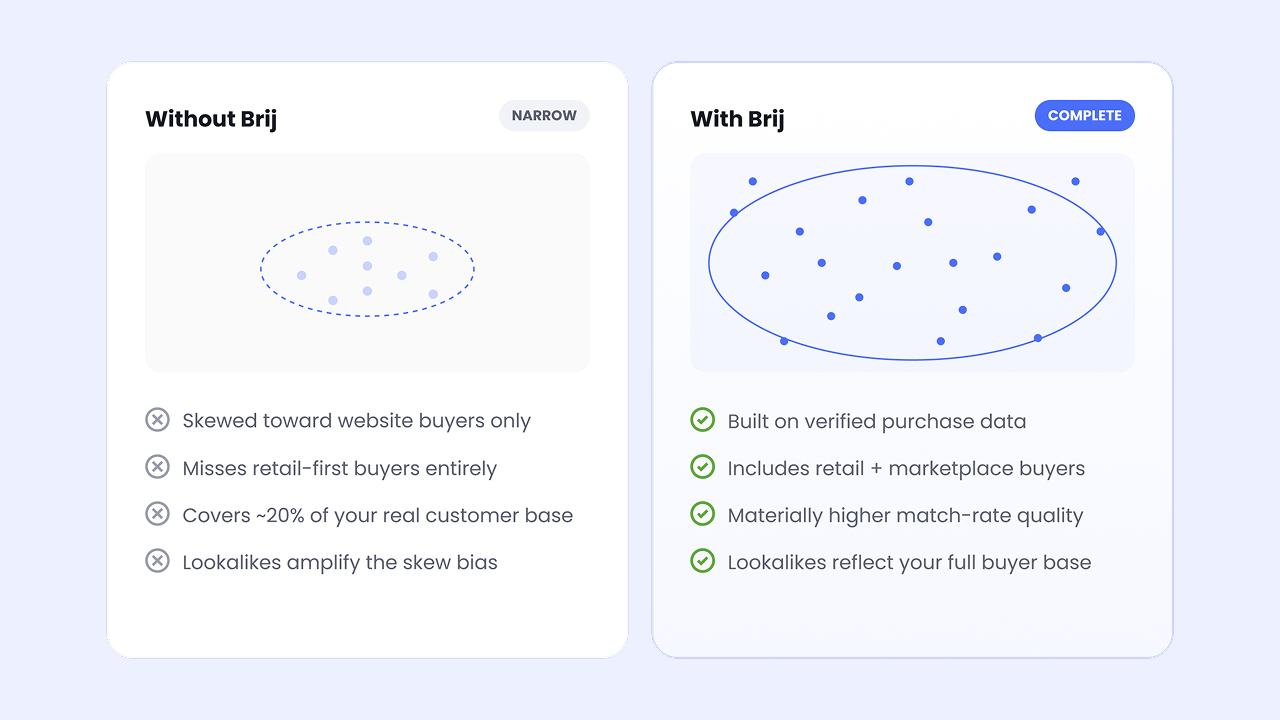
HOW-TO GUIDE
Follow the steps below to get started.
If you're new to Brij, book a demo of Brij Signal to get started. If you're already a Brij customer, reach out to your Account Manager to learn more.
Sign into your Google Ads account, find your Customer ID, and share it with your Account Manager to begin Signal setup.
Brij links to your Google Ads account through a Manager Account (MCC) request. Accepting the request to let Signal kickoff begin! We'll tackle the complicated conversion setup steps for you; no hassle required on your end.
How does Brij send conversions to Google Ads?
▾A Google Ads conversion tag fires inside the Brij experience when a retail or marketplace shopper registers a verified retail or marketplace purchase. Nothing gets added to your own website, and the conversion reports into the same Google Ads account your campaigns already run in.
Which campaign types does this improve?
▾Any campaign optimizing toward conversions, with Performance Max and Smart Bidding gaining the most, since both set bids from the conversion data you report. You can also build Customer Match audiences from the same buyers for targeting or suppression.
Won't this double-count my website sales?
▾Not when it's set up correctly. Brands either run separate Brij experiences for retail and DTC, or add a "where did you buy?" question to the registration and exclude anyone who selects the brand's own site.
What access does Brij need?
▾Access to your Google Ads account, shared the way you'd add an agency. Brij handles tag configuration and event QA; typical setup is about a week once retail data is flowing.
Start syncing your offline buyers and put every customer to work.