BFCM Webinar 9/28 | Tactical strategy on how to spend smarter & make every customer worth more
Hear from the experts

Analytics
Fire data layer events into Google Tag Manager every time a shopper clears a content gate or registers a product.

About the integration
Every scan-to-registration moment in retail becomes a trackable event you can tag, measure, and act on from GTM.

Google Tag Manager is a tag management platform that helps businesses add, update, and organize website tracking codes without requiring ongoing developer support. It makes it easier to manage analytics, advertising, and conversion tags from one centralized workspace.
View retail buyer registrations in GA4 alongside site traffic
Install once, no developer work per campaign
Product, experience, and device details on every event
WHY INTEGRATE
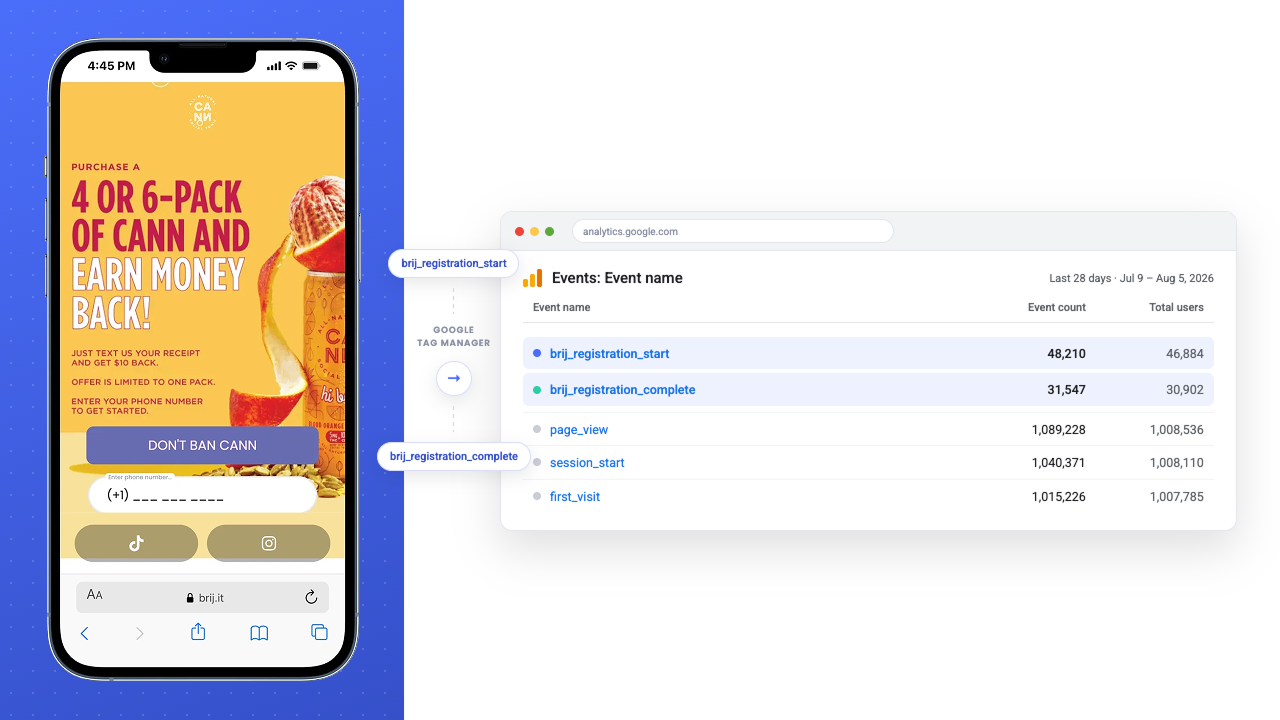
Retail purchases don't happen on your site, and often retail customers don't even interact with your website. They're entirely disconnected from your analytics. Brij enables your brand to offer connected packaging that brings retail and marketplace shoppers in your digital ecosystem. When a shopper scans a code on-pack and registers, Brij fires that moment into GTM as a named custom event. Build a trigger on each one and retail-driven engagement reports next to your ecommerce funnel in GA4.
Read More →Once the data layer is live, every tag in your container can act on it. Fire a GA4 key event on registration completion, pass Brij's product and experience variables into a remarketing audience, or route the same event to a third-party template your team already trusts. Marketing owns the whole change inside GTM, so launching measurement for a new campaign takes an afternoon instead of a sprint.
Read More →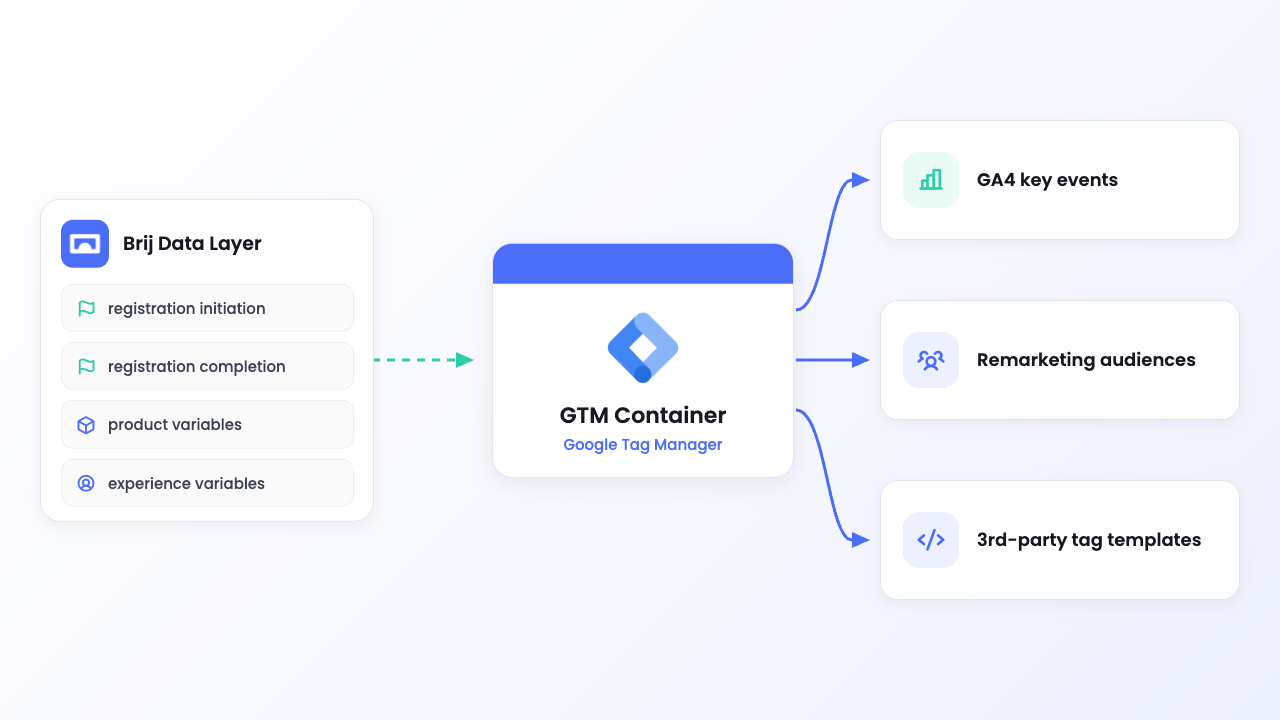
HOW-TO GUIDE
Follow the steps below to get started.
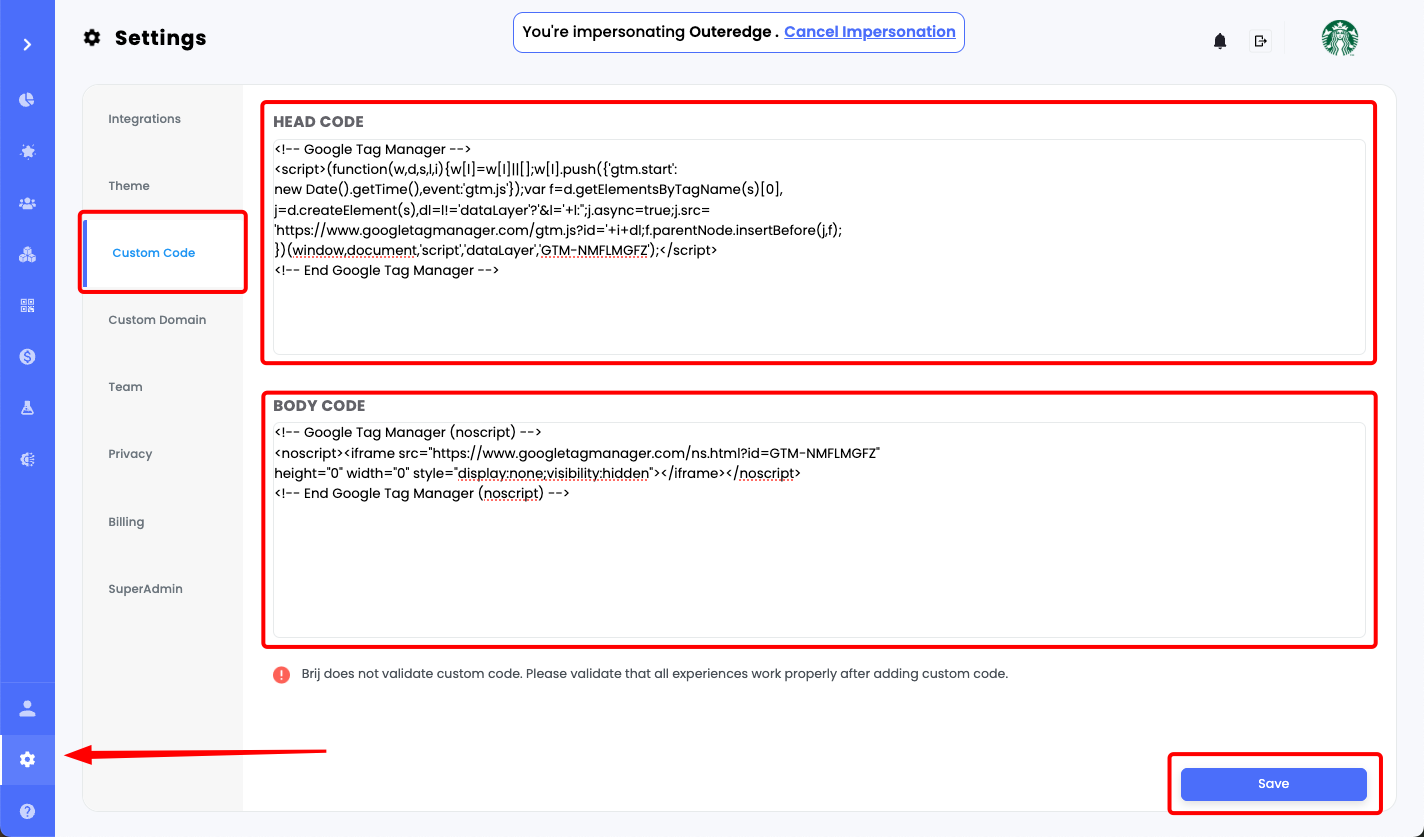
Copy your GTM container scripts, then paste them into Brij Settings under Custom Code.
Create Custom Event triggers for events such as brij.registrationCompletion or brij.registrationInitiation.
Connect those triggers to your analytics or advertising tags, preview the Brij experience in GTM, confirm the events fire correctly, then publish the container.
What events does Brij send to Google Tag Manager?
▾Three: brij.contentGateChecked when a shopper clears a content gate, brij.registrationInitiation when they enter their email, and brij.registrationCompletion when they finish the registration module. Each arrives as a GTM custom event you can build a trigger on.
What data comes through with each Brij event?
▾Experience details (name, title, subtitle, Brij ID, type, URL), product metadata (Shopify product name, style number, price, currency, brand), and device context (browser, operating system, platform, language, country code, timestamp). Brij also duplicates several fields under GA4-style names (item_id, item_name, price, currency) so they line up with GA4's ecommerce parameters.
How do I install GTM on Brij experiences?
▾Copy the head and body snippets from your GTM container and paste them into Settings → Custom Code in the Brij portal, then save. It's an account-level setting, so GTM loads across all your Brij experiences; to limit a tag to specific ones, add page URL conditions to its trigger.
Is this the same as sending offline conversions to Meta?
▾No. The GTM integration is client-side event data from Brij experiences, meant for analytics and tags in your own container. Sending verified retail and marketplace purchases to Meta, Google, and TikTok as conversion events is Brij Signal, which runs through each platform's Conversions API.
Start syncing your offline buyers and put every customer to work.