BFCM Webinar 9/28 | Tactical strategy on how to spend smarter & make every customer worth more
Hear from the experts

Warranty
Offer extended warranties within Brij experiences to drive incremental revenue.

About the integration
Brij + Mulberry turns warranty registration into a post-purchase revenue channel, giving customers real protection and giving your brand a stronger reason to get registered in the first place.

Mulberry is a product protection platform that enables retailers and brands to offer extended warranties and accidental-damage coverage throughout the customer journey. Its embedded technology helps businesses enhance the shopping experience, generate additional revenue, and give customers greater confidence in their purchases.
Sell extended warranties to retail and marketplace buyers
Higher warranty registration completion rates
No duplicate forms; Mulberry uses the data Brij already collects
WHY INTEGRATE
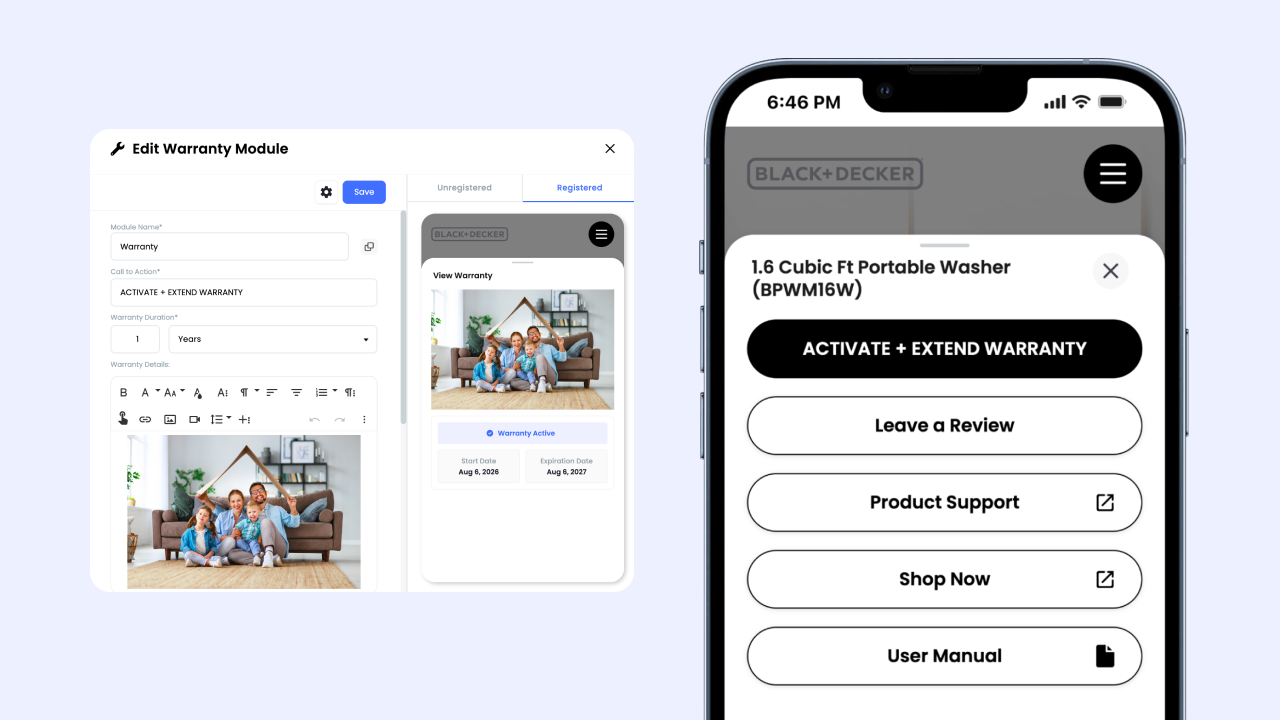
When a customer buys your product at Target or on Amazon, you don't have their contact information, making it impossible to offer them a product protection plan. Brij closes that gap: the shopper scans the QR code on your packaging, registers the product, and the Mulberry extended warranty offer appears right inside the experience. Every plan sold is revenue you had no way to capture before.
Read More →An extended warranty offer gives shoppers a real reason to finish registering instead of abandoning the form. Once they submit their details, a customizable Extend My Warranty Coverage banner appears in the experience and stays live for 30 days, so the offer keeps converting well after the first scan. Mulberry enrolls customers using the name and address Brij already collects, which means no second form and no drop-off between steps. More completed registrations means more identified buyers flowing into your CRM and ad platforms.
Read More →HOW-TO GUIDE
Follow the steps below to get started.
Work with Mulberry and Brij to define eligible products, coverage terms, and the customer/product fields Mulberry needs for plan activation.
Create the product or warranty-registration experience, map each QR code or SKU to the correct product, and collect the required customer and purchase information. Brij recommends validating field mapping before launch.
Work with your Brij Account Manager to enable the Brij-to-Mulberry data handoff, and submit test registrations for each eligible product.
.png)
Can brands offer extended warranties on retail purchases?
▾Yes. Brij identifies the customer at the moment they register a product bought anywhere (Target, Amazon, or your own site) and presents a Mulberry extended warranty offer inside that experience. The original retailer doesn't matter.
How is this different from standard warranty registration?
▾Brij's Warranty Module registers and tracks the warranty that already ships with your product, while the Mulberry integration adds paid extended coverage on top, including protection against accidental damage. You can run standard registration on its own, or enable Mulberry extensions inside the same module.
Does the Mulberry integration require Shopify?
▾No; the integration supports both Shopify and non-Shopify brands. On Shopify, you can let Mulberry price plans from your live product price or from a fixed price you enter in Brij. Brands on other platforms enter the price directly in the experience setup.
What's required to set up the Mulberry integration?
▾You'll need a Mulberry partner account with API access, plus a Brij experience containing a Warranty Module and a form that collects the customer's full name and address. Brij configures the automation and manages your API tokens; you supply the credentials and the form fields.
Start syncing your offline buyers and put every customer to work.