BFCM Webinar 9/28 | Tactical strategy on how to spend smarter & make every customer worth more
Hear from the experts

CRM & Email
Sync captured retail and marketplace purchase data to your SFMC CRM.

About the integration
Turn anonymous retail purchases into named SFMC contacts you can build journeys around.

Salesforce Marketing Cloud is a digital marketing platform that helps businesses use customer data to create personalized campaigns across email, mobile, advertising, web, and other channels. Its automation, analytics, and AI-powered tools enable marketing teams to coordinate customer journeys, improve engagement, and drive measurable growth at scale.
New SFMC contacts from retail buyers, deduplicated on sync
No more manual CSV imports
50+ fields per registration, including email and SMS consent
WHY INTEGRATE
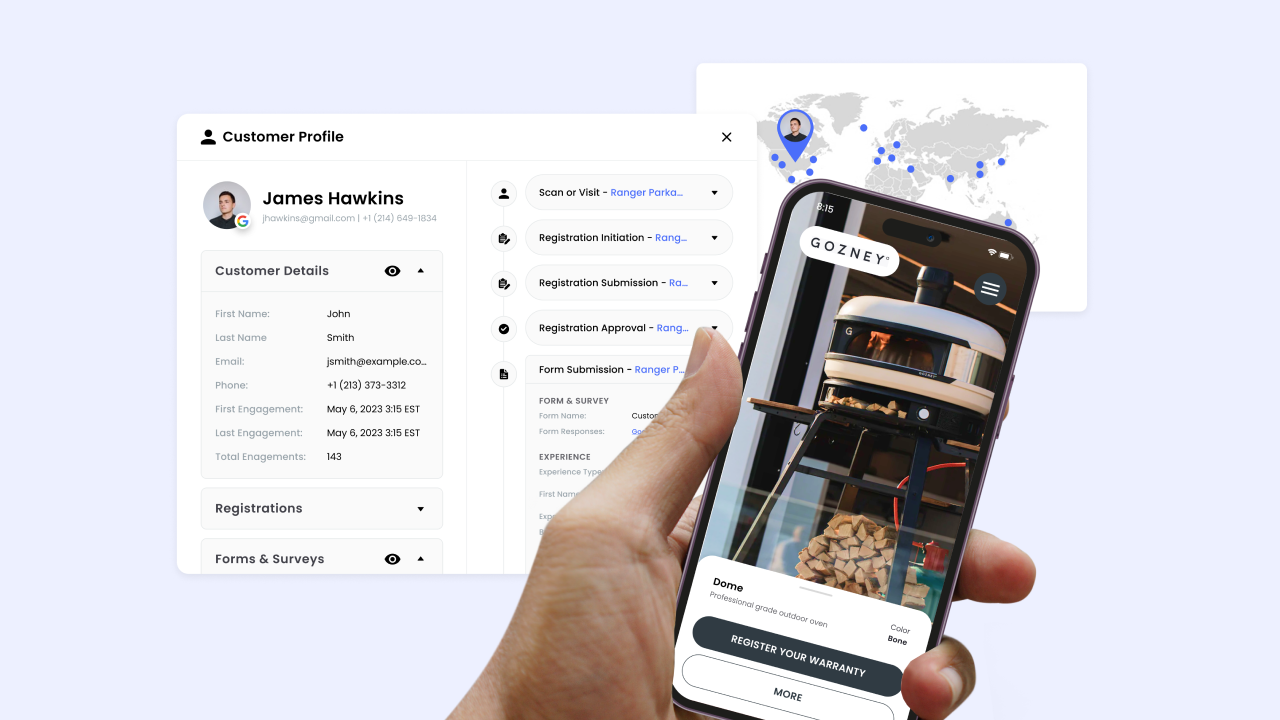
SFMC only knows the customers your other systems hand it. If most of your volume moves through Target, Walmart, or Amazon, those buyers never become a contact record, and your journeys run against a fraction of your actual customer base. Brij captures the buyer the moment they scan your packaging and register the product, then checks SFMC for that email and adds a contact if it isn't already there. Your list grows with real, consented buyers instead of the same DTC names you already had.
Read More →Each Registration Initiation event lands in a data extension carrying purchase channel, SKU or style number, warranty duration and expiry, discount code, receipt images, device, and city-level location, plus separate flags for email consent, single opt-in SMS, and double opt-in SMS. Your team can use that data extension as a journey entry source and segment on fields a spreadsheet import would never carry. It also ends the manual CSV routine most brands rely on to get offline data into SFMC.
Read More →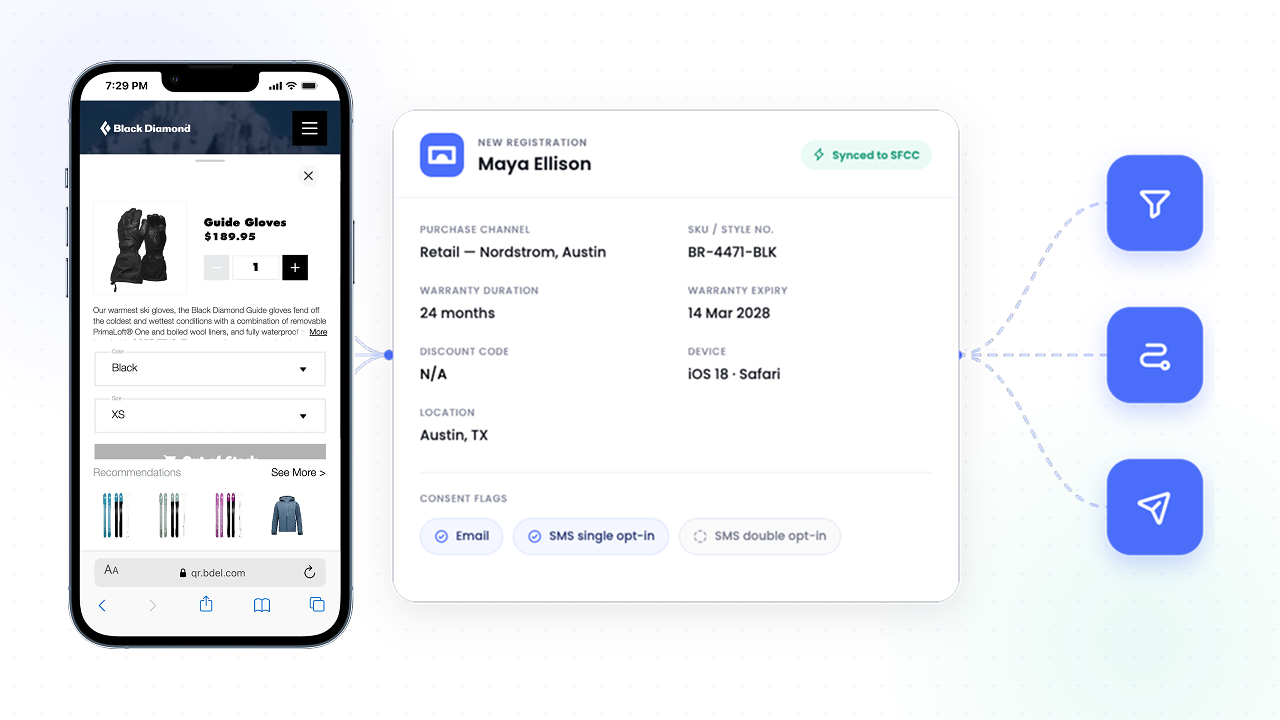
HOW-TO GUIDE
Follow the steps below to get started.
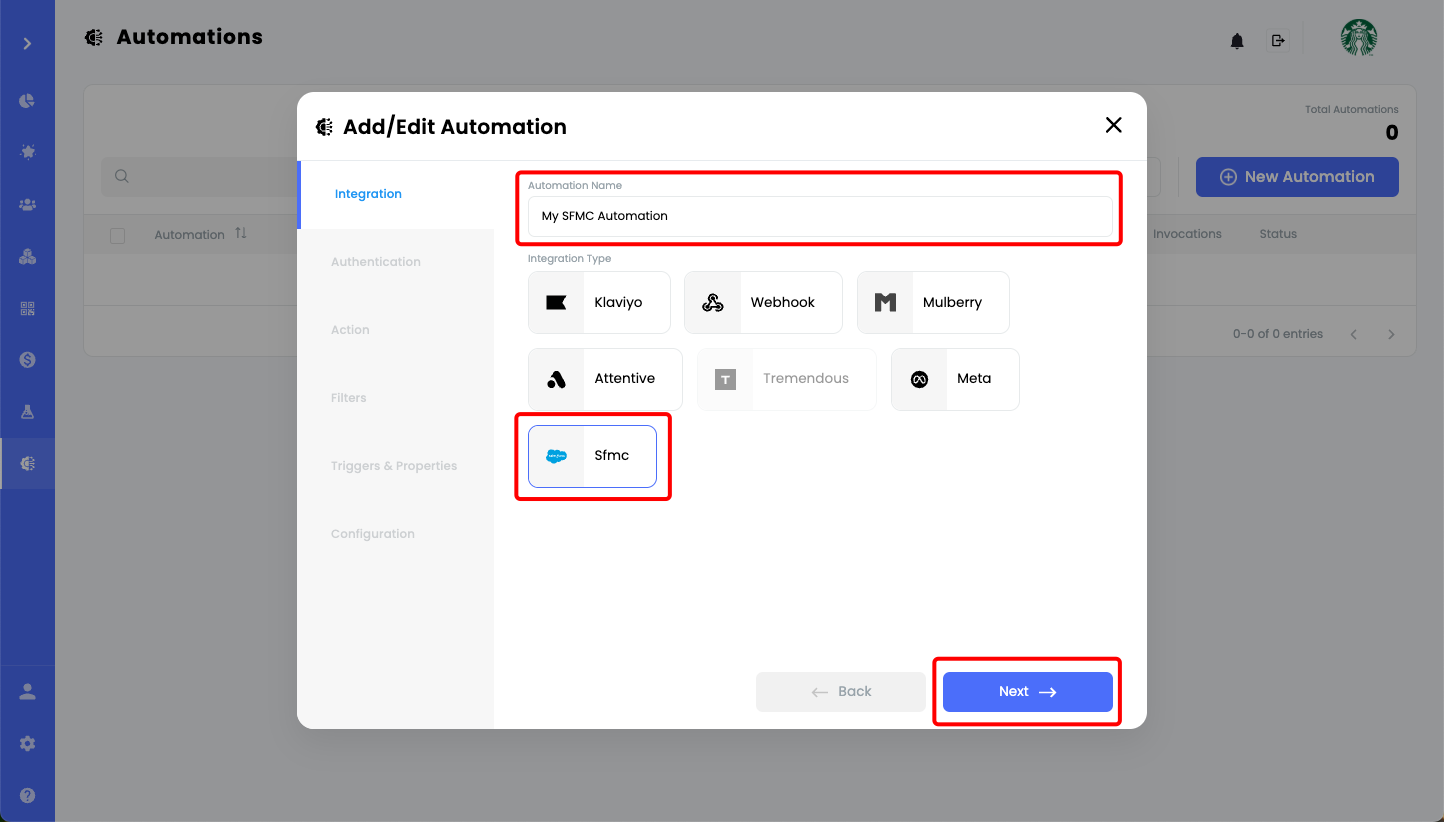
In Brij, visit the Automations page, select SFMC, name the automation, and continue.
Create a new OAuth 2.0 authentication using your SFMC Client ID, Client Secret, and Authentication Base URI. Keep the default action settings, then choose which Brij experiences, events, and event properties should send data to SFMC.
Add failure-notification settings, enter your SFMC REST Base URI as the Base URL, and name the Data Extension where Brij data will appear in SFMC.
What data does Brij send to Salesforce Marketing Cloud?
▾Two things: contacts and event data. Brij checks whether a collected email already exists in your SFMC contact list and adds it if not, then writes a Registration Initiation event with more than 50 parameters into a data extension you name during setup.
Which Brij events sync to SFMC?
▾Registration Initiation, which fires whenever someone enters their email address in a Brij experience. Brij sends a wider event set to some other platforms, so if you need submission or approval events in SFMC, ask your Brij rep where that sits on the roadmap.
Where does Brij data appear in SFMC?
▾In Email Studio, under Subscribers → Data Extensions. Brij's data extension appears under the name you chose during setup, and every synced record shows in its Records tab.
Does Brij data flow into Salesforce Data Cloud?
▾Not automatically. Brij writes to Marketing Cloud data extensions, which live in Contact Builder rather than Data Cloud. To get those records into Data Cloud, you configure the Marketing Cloud Engagement connector and a data stream on the Salesforce side, then run identity resolution to create unified profiles.
Start syncing your offline buyers and put every customer to work.