BFCM Webinar 9/28 | Tactical strategy on how to spend smarter & make every customer worth more
Hear from the experts

Loyalty & Reviews
Collect product reviews inside your Brij experiences and send them straight to Yotpo.

About the integration
Grow review volume from retail and marketplace buyers.

Yotpo is an ecommerce marketing platform that helps brands collect and showcase customer reviews, build loyalty and referral programs, and turn customer engagement into long-term growth. Its connected tools help businesses strengthen trust, increase repeat purchases, and create more valuable customer relationships.
Capture reviews from retail and marketplace buyers
No CSV uploads, no manual entry
Capture at registration, when attention is highest
WHY INTEGRATE
Traditionally, capturing product reviews from retail and marketplace shoppers has been next-to-impossible without their direct contact information. With Brij, a shopper scans the code on your packaging, registers, and leaves a review in the same session. The review lands in Yotpo attached to the right product, from a buyer you previously had no way to reach.
Read More →Email and SMS review requests often arrive days later, competing with everything else in an inbox. Brij asks while the customer is still in your experience with the product in hand, which is the highest-intent moment you get. Setup is a point-and-click automation using your Yotpo App Key and Secret Key, and every submission flows over on its own. No exports, no spreadsheets, and no engineering ticket required.
Read More →HOW-TO GUIDE
Follow the steps below to get started.
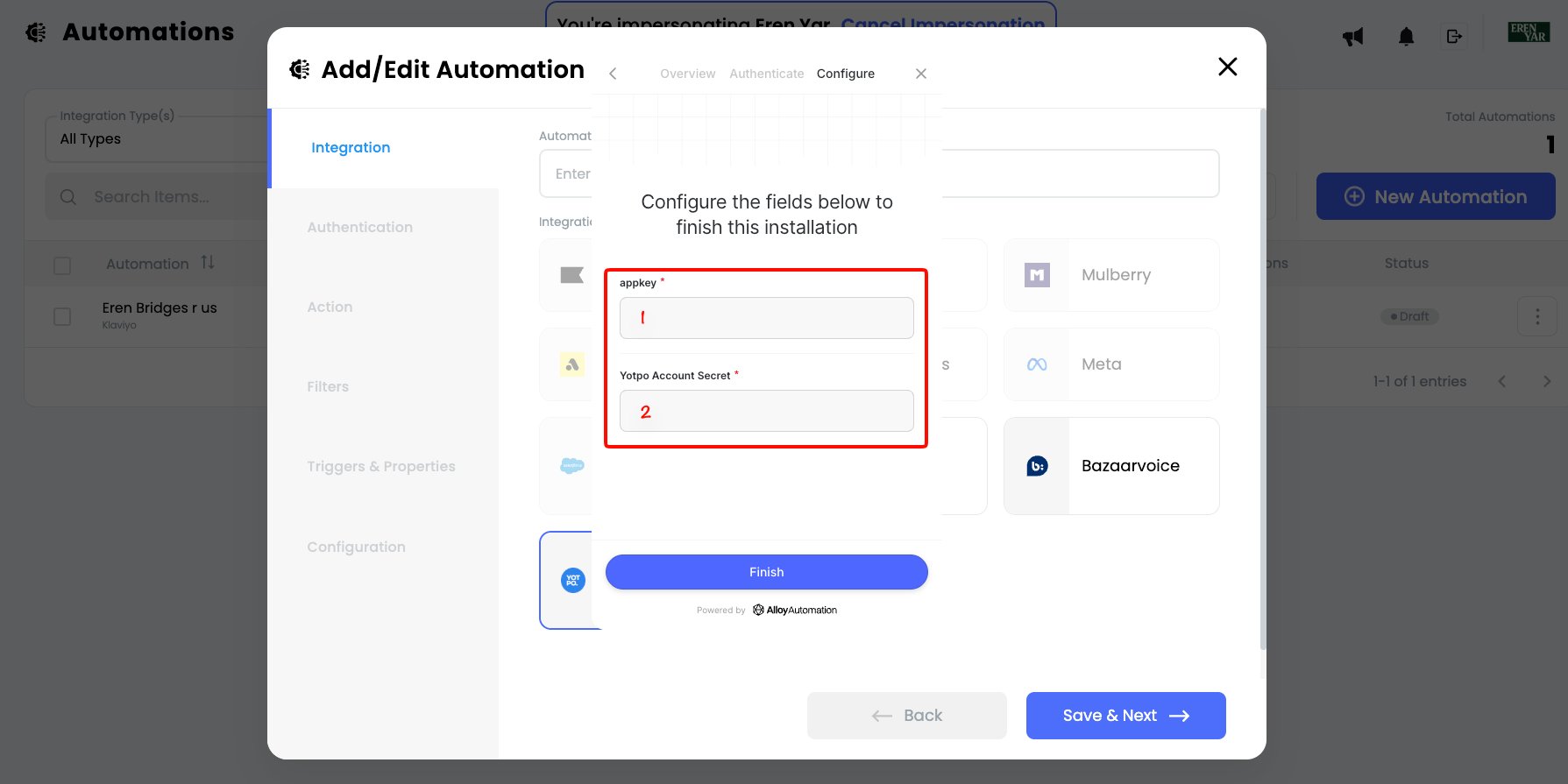
In Yotpo, copy the App Key and Secret Key from API Credentials. Then, in Brij, create a new Yotpo Reviews automation, enter both keys, and activate it.
Create a dedicated Review Module, leave the default review questions unchanged, add it to the relevant experience, and turn on Registration Required so Brij captures the customer email Yotpo needs.
Confirm the Brij Product, Style, or SKU Number exactly matches the product ID used in Yotpo, usually the Shopify product ID. Submit a test review and verify it reaches Yotpo and attaches to the correct product.
How does Brij send reviews to Yotpo?
▾Through a Brij automation. You connect your Yotpo App Key and Secret Key in Brij's Automations tab, add a review module to an experience, and Brij posts each submission to Yotpo as it comes in.
What review data does Brij send to Yotpo?
▾Rating, title, body, reviewer name, and email. Registration is required on the review module, because Yotpo needs the customer's email address to accept the submission.
Do I need a developer to set this up?
▾No. Setup is point-and-click in Brij. The only prerequisite is your Yotpo API keys, and note that only the Yotpo account owner can reveal the Secret Key.
Will the review attach to the right product?
▾Yes, as long as the Product/Style/SKU number on your Brij experience matches the product ID in Yotpo (usually the Shopify product ID). If the two don't match, the review still reaches Yotpo but creates a duplicate product and won't show on your product detail page.
Start syncing your offline buyers and put every customer to work.