BFCM Webinar 9/28 | Tactical strategy on how to spend smarter & make every customer worth more
Hear from the experts

Automation
Sync Brij-captured data to 8,000+ apps with Zapier connections.
.svg)
About the integration
Send Brij events anywhere your team already works.

Zapier is an automation platform that connects the tools your business already uses, helping teams streamline repetitive work, move data between systems, and build efficient workflows without needing to code.
Connect Brij to 8,000+ apps without engineering
Product, SKU, and location on every trigger
Go-live in minutes with copy-paste API keys
WHY INTEGRATE
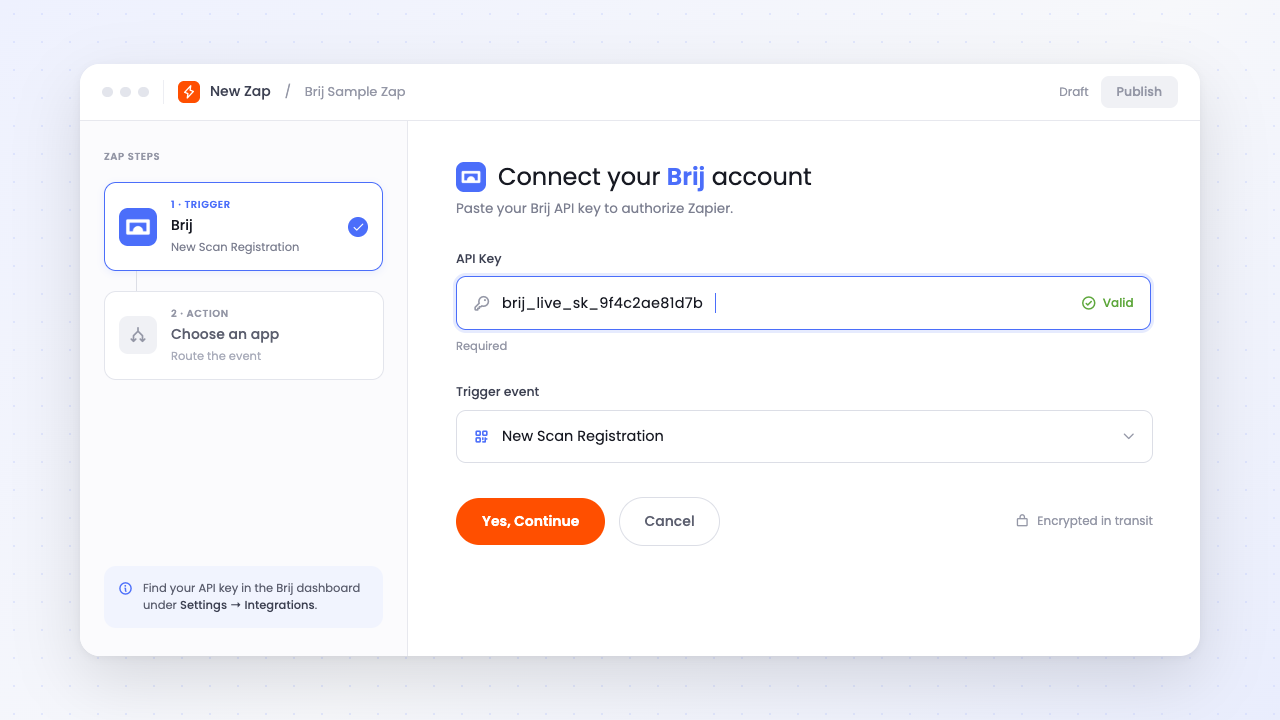
Brij has dozens of native integrations, but if one of your tools is missing, our Zapier integration is here to help. No need to wait for a new native connector build. Just paste your Brij API key into Zapier, pick a trigger, and route the event where it needs to go.
Read More →Every trigger arrives with context and a timestamp. The payload carries the product, the variant SKU, the tag, and the city, state, and ZIP where the interaction happened, so a Zap can route by geography or product line instead of firing the same alert for everything.
Read More →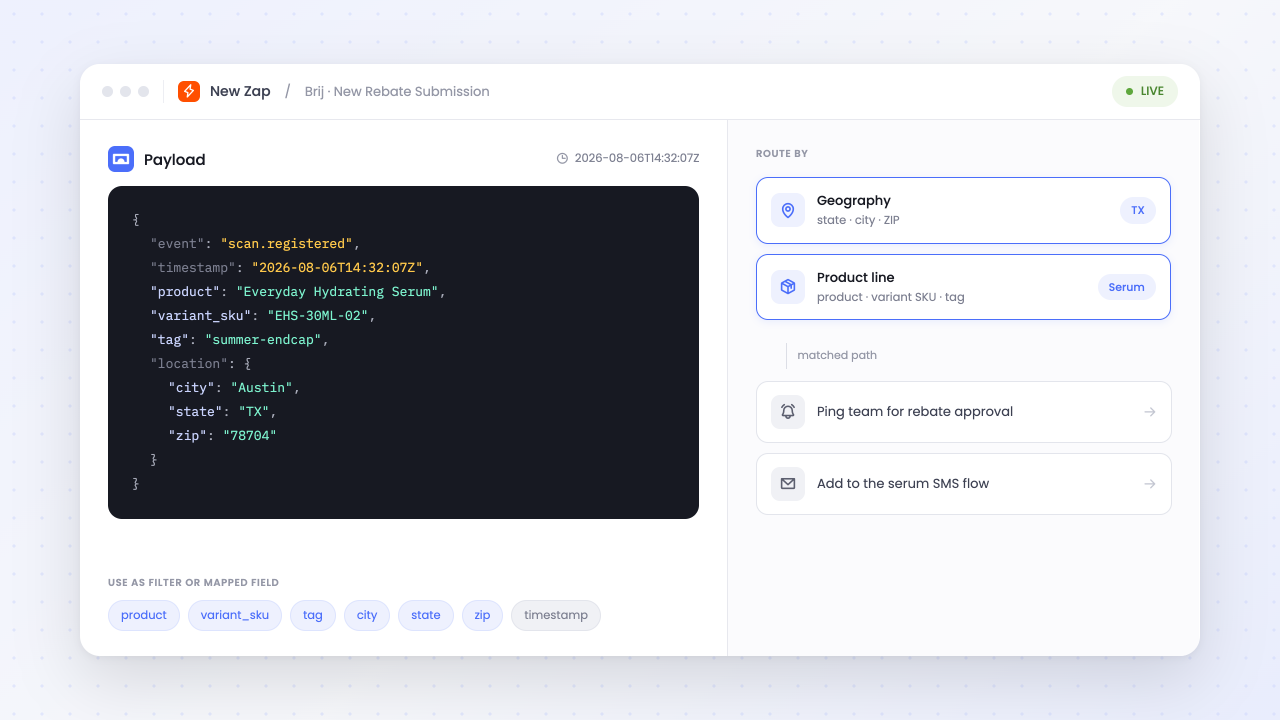
HOW-TO GUIDE
Follow the steps below to get started.
In Brij, visit Settings, and then click on Integrations. Enable Show API key, click Regenerate API Key, copy it, and save your changes.
Create a new Zap, select Brij as the app and Scan a Product as the trigger, then connect a new Brij account using the copied API key.
Enter the Brij experience slug as the Experience ID, refresh and test the trigger, choose and configure your action, then publish the Zap.
What Brij events can trigger a Zap?
▾Four: Scan a Product, New Registration, Form Submission, and Website Visit, which fires when someone taps an external link inside an experience. Each carries the product, variant SKU, tag, city, state, ZIP, and timestamp, plus event-specific fields like the form answers or a registration's expiration date.
Can Zapier write data back into Brij?
▾No. Brij is a trigger-only app on Zapier, so events flow out of Brij into other tools and nothing writes back in. If you need to pull Brij data on a schedule or into a warehouse, the Brij API is the better route.
Do I need one Zap per experience?
▾Yes. Each Zap's trigger is scoped to a single Experience ID, so a workflow that should cover several experiences needs a Zap for each. If you want one automation filtered across many experiences, a Brij webhook automation handles that better.
How do I authenticate Brij in Zapier?
▾With your Brij API key, found under Settings → Integrations once you check "Show API key." Paste it into the Brij connection in Zapier when prompted. One caution: regenerating that key later will break any Zaps still using the old one.
Start syncing your offline buyers and put every customer to work.